
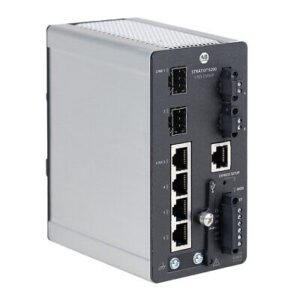
Rockwell Automation’s Stratix Network Switch series was launched in 2012. It offers a comprehensive range of Industrial Ethernet switches designed to meet diverse networking requirements and seamless integration between Operational Technology (OT) and Information Technology (IT) networks. Developed in collaboration with Cisco, the Stratix switches provide industrial-grade performance making them ideal for manufacturing control applications. As such they are powered by 24Vdc, suitable for higher temperatures, DIN rail mount and in a metal case. They do however have limitations, which we cover in the full Stratix network switch review. Below is a summary of the key models, presented in chronological order based on their release information:
- Stratix 8000 Modular Managed Switch: This switch provides a modular design, allowing for flexible configuration to meet various network requirements. It supports advanced security features and integrates seamlessly with enterprise networks.
- Stratix 8300 Layer 3 Modular Managed Switch: Building upon the Stratix 8000, the 8300 model adds Layer 3 routing capabilities, enabling routing between different network segments for improved performance and network management.
- Stratix 5700 Managed Industrial Ethernet Switch: Introduced to simplify machine-level network design, the Stratix 5700 utilizes Cisco IOS software for secure integration from the plant floor to enterprise systems. It offers features like high availability, Quality of Service (QoS), and automated monitoring.
- Stratix 5400 Industrial Ethernet Managed Switch: This switch supports both Layer 2 switching and Layer 3 routing in an all-Gigabit platform. It includes features like Device Level Ring (DLR) with three-ring support, enhancing network design flexibility for complex machines.
- Stratix 5410 Industrial Distribution Switch: Designed for industrial distribution applications, the Stratix 5410 offers high-performance switching capabilities suitable for managing large-scale networks.
- Stratix 5200 Managed Industrial Ethernet Switch: This flexible switch caters to a wide range of industrial applications, featuring optimized integration with Studio 5000 Automation Engineering & Design Environment® software. It simplifies configuration and monitoring, supporting both IT and OT management tools.
- Stratix 5800 High Performance Managed Switch: Offering gigabit performance in both fixed and modular designs, the Stratix 5800 supports a variety of copper, fiber, and Power over Ethernet (PoE) expansion modules. It is available with Layer 2 switching or Layer 3 routing firmware options to meet diverse application needs.
Each model in the Stratix series is designed to address specific industrial networking challenges, providing scalable and secure solutions for various applications.
Network Switching Functions
The following standard layer-2 switching functions are included, as one would expect:
- VLAN
- QoS
- SNMP
- Auto Negotiation / Auto-Crossing / Auto-Polarity
- Time Synchronisation
- Redundancy
- Rapid Spanning Tree Protocol (RSTP)
- Resilient Redundancy Protocol (REP)
- Device Level Ring (DLR) on ‘DP’ models
So, what don’t we like about the Stratix 5200?
- Time To Boot is 140 seconds, comparing very unfavourably with other units on the market. For an industrial product, this is unacceptable. It is 2 orders of magnitude slower than a PLC’s startup time. Major fail!
- In an air-conditioned room at around 20degC, the internal temperature is measured in the high 40degC range. It is difficult to imagine that these units could operate in an environment of 65degC as they claim and not be well into overheating terrritory.
- Much of the front-face labelling is in small, faint text that is impossible to read without direct lighting.
- The power supply terminals are small and require a jewellers screwdriver to connect wiring to. Forget about daisy-chaining power supply cabling unless using very small conductors without ferrules.
- Further, the ‘captive screw’ on one of our terminals fell out!
- The Negative Power Supply terminal is located above the Positive, defying normal convention of positive on top and negative on the bottom, as is common on wiring diagrams.
- The GUI is not intuitive, clearly having been governed by the Cisco team who love complexity, not Rockwell whose strength has always been the user-friendly nature of their programming tools. Try to find where to change the IP address after the initial setup. (Hint – it’s in the VLAN section!)
- What we DO like is that all connections and indicators are on the front face. There – we found something to be positive about!
- Do you want to know what your network is connected to? You would, wouldn’t you. But Stratix won’t tell you. It will identify other Stratix switches, but only by name, not IP address. It does not reveal to you anything else, without a multistage process of command line instructions to identify what MAC addresses are on each port or each switch (ignore the uplinks), then a reverse ARP enquiry or equivalent to decode the IP address. Really?
- There is no network management software from Rockwell, so you are on your own selecting products from Hirschmann (Industrial Hivision), MOXA (MXview), or ManageEngine (OpManager) for example. Hirschmann and Moxa both provide a free fully-featured time-limited demo version, though it does have limitations on network size.
Your experience may be different, but we can’t endorse this product that is in our experience, very clunky.